What is an AI Agent? A Non-Technical Guide
How do AI Agents differ from ChatGPT? A comprehensive guide to Agentic AI, core agent architecture, popular types, and practical applications for SMEs.
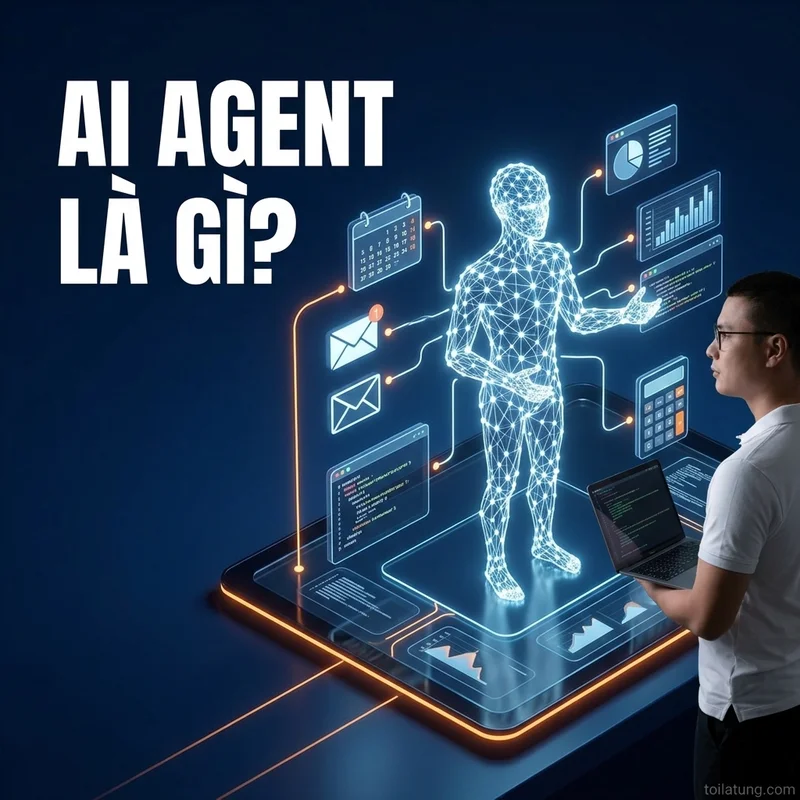
TL;DR: How do AI Agents differ from ChatGPT? A comprehensive guide to Agentic AI, core agent architecture, popular types, and practical applications for SMEs.
What is an AI Agent? A Non-Technical Guide
The concept of an "AI Agent" is becoming the central focus of global technology discussions. While Large Language Models (LLMs) like ChatGPT, Claude, and Gemini have proven highly capable at processing text, most users still interact with them through manual Q&A. The rise of AI Agents marks a major paradigm shift from passive assistant tools to autonomous, self-operating systems.
As someone who designs automated AI systems for small and medium-sized enterprises (SMEs), I see that AI Agents are no longer science fiction. They are practical solutions transforming cost structures and business productivity. This post breaks down what AI Agents actually are, their core technical architecture, and a practical implementation roadmap—in the simplest terms possible.
Defining the AI Agent
Direct Answer: An AI Agent is a software program powered by a Large Language Model (LLM). It can plan, remember information, use external software tools, and make independent decisions to achieve a human-defined goal without needing step-by-step instructions.
To visualize this, let's compare:
- Standard Chatbot (like ChatGPT): Like a talking encyclopedia. It answers what you ask. If you want to email a client, you still have to copy its response, paste it into your email client, fill in the address, and hit send.
- AI Agent: Like an assistant capable of planning. When you give it a goal: "Send this week's revenue report to Client X," the agent automatically accesses the database, aggregates the sales data, drafts the email, and sends it directly through your mail client.
The 4 Pillars of a Complete AI Agent
An effective AI Agent is more than just a system prompt sent to an LLM. Its core architecture consists of four key components:
graph TD
    Goal[Mục tiêu từ con người] --> Brain[1. Bộ não LLM]
    Brain --> Planning[2. Khả năng lên kế hoạch]
    Brain --> Memory[3. Hệ thống bộ nhớ]
    Brain --> Tools[4. Hệ thống công cụ]
    Planning --> Action[Hành động thực tế]
    Memory --> Action
    Tools --> Action
    Action --> Feedback[Phản hồi & Quan sát]
    Feedback --> Brain
1. The Brain (Core LLM)
The agent's brain is the Large Language Model. It is responsible for understanding natural language context, reasoning through the necessary steps, and making decisions based on gathered information.
2. Planning
The agent must know how to break a large goal down into smaller, manageable tasks. Common methods include:
- Chain of Thought (CoT): The AI analyzes logical steps sequentially before producing a final answer.
- ReAct (Reasoning and Acting): A continuous loop of reasoning the next move, executing it, observing the result, and adjusting the next steps accordingly.
3. Memory System
Memory allows the agent to maintain a consistent working state over time:
- Short-term memory: Stores all information from the current session, similar to a chat history.
- Long-term memory: Retains information over days or weeks, typically using a Vector Database. This allows the agent to learn from past mistakes or remember user preferences.
4. Tools
This is the single biggest factor that separates an AI Agent from a chatbot. Agents can call APIs to interact with the real world, including:
- Reading and writing files on local systems.
- Searching the web for real-time information.
- Sending messages via Telegram, Slack, or Zalo.
- Performing data entry on Google Sheets or Notion.
Side-by-Side Comparison: Standard Chatbots vs. AI Agents
To help business leaders make informed technology investments, here is a detailed breakdown:
| Feature | Standard Chatbot (e.g., ChatGPT web) | AI Agent |
|---|---|---|
| Interaction Model | Q&A iterations (Fully driven by the human) | Goal-driven (AI autonomously orchestrates the workflow) |
| Proactivity | Passively waits for the next prompt | Actively reasons the next step based on previous results |
| Tool Use | Limited to the chat UI | Executes APIs to connect with thousands of external software tools |
| Error Handling | Throws an error and waits for human intervention | Retries autonomously or searches for alternative paths |
| Execution Environment | Packaged web interface or mobile app | Runs in the background via terminals or automation servers |
The 4 Main Types of AI Agents
Depending on task complexity and execution environments, AI Agents fall into four primary categories:
1. Task-Specific Agents
Agents designed to handle a single, highly repetitive workflow.
- Real-world example: An agent that monitors social media comments, extracts phone numbers, checks inventory, and automatically messages customers on Zalo to close sales.
2. Research Agents
Specialists in web scraping and information synthesis. Given a market research topic, the agent opens dozens of websites, digests the content, cross-references metrics across independent sources, and compiles a structured report. This process filters out generic web fluff to deliver actual insights.
3. Coding Agents
These agents are reshaping global software development. Tools like Claude Code or Cursor can scan an entire codebase, run compile commands to test for bugs, and modify files autonomously until the code runs cleanly. The developer transitions into a reviewer, guiding the system in plain English.
4. Multi-Agent Systems
The pinnacle of AI architecture. Instead of relying on a single generalist agent, you set up a virtual office of specialized agents that collaborate with each other:
- Agent A (Planner): Drafts the weekly content calendar.
- Agent B (Writer): Receives topics from Agent A and writes SEO-optimized drafts.
- Agent C (Editor): Reviews Agent B's draft against brand guidelines and refines the tone.
- Agent D (Publisher): Takes the approved draft and publishes it automatically to a Next.js website.
Practical Applications of AI Agents for SMEs
Small and medium enterprises often face resource constraints. Deploying AI agents optimizes operations across three major areas:
1. Automated Marketing and Content Generation
Using multi-agent setups to repurpose a single long-form blog post into various formats (Facebook posts, TikTok scripts, email newsletters) while maintaining a consistent brand voice. This system is analyzed in detail in Designing an Agentic Workflow for Content Marketing.
2. Sales Operations and Financial Reconciliation
Combining AI agents with no-code tools like Make.com or n8n to automate transaction processing. When a customer scans a VietQR code to pay, the agent reads the bank notification, matches the transaction, generates an invoice, and emails a confirmation instantly. This workflow is part of the VietQR payment automation guide.
3. Intelligent Customer Support
Moving beyond rigid, frustrating rule-based chatbots. An AI Agent can query backend sales databases to give customers precise order updates or troubleshoot technical issues using the company's internal documentation.
5 Steps to Build Your First AI Agent (Without Coding)
You don't need a computer science degree to start building custom AI agent systems. Here is a practical roadmap:
- Standardize your manual process: Map out your current manual workflow step-by-step. If you cannot describe the logic clearly, an AI Agent won't be able to run it either.
- Structure your input data: Ensure your reference files, price sheets, or product catalogs are organized in clean, structured formats like Markdown files or Google Sheets.
- Craft your System Prompt: This defines the role, behavior, and boundaries of the LLM brain. Read The Art of Writing System Prompts to Turn Claude into a Senior Developer to learn how to assign precise roles to your agents.
- Connect via No-code Platforms: Use Make.com or n8n to connect the LLM brain to your daily work tools (Gmail, Google Sheets, Slack). See how to build these integrations in Implementing Lead Automation with Make.
- Build a Human-in-the-Loop checkpoint: Always require human approval before the agent executes high-stakes actions like emailing VIP clients or processing transactions. This prevents catastrophic system hallucinations.
Frequently Asked Questions (FAQ)
1. Do I need coding skills to build an AI Agent?
No. Modern no-code and low-code platforms allow you to build functional agents using visual, drag-and-drop interfaces. However, knowing basic JSON structures or command-line basics will help you optimize your workflows and lower system operational costs.
2. How do I ensure data security when using AI Agents?
Use direct APIs from reputable providers (OpenAI, Anthropic) under business data privacy agreements. These terms guarantee your queries won't be used to train public models. Never expose raw bank passwords or sensitive security keys in your agent's system prompts.
3. Will AI Agents replace human staff in the near future?
No. AI Agents excel at executing high-speed, rule-based, repetitive tasks. However, they lack human empathy and long-term strategic vision. The human role will shift from manual execution to system design, oversight, and orchestration.
💡 What's Next?
To start mastering system design and stay ahead of the technology curve, read our guide on Building Your Personal AI Agent Ecosystem to build your own digital assistants step-by-step.
Tặng Mã Nguồn Lexi AI Content Agent & Quy Trình Tự Trị
Nhận miễn phí bộ mã nguồn Javascript tự đọc SSOT và tự động viết bài đăng Google Drive trị giá $199 kèm 3 bài học thử.