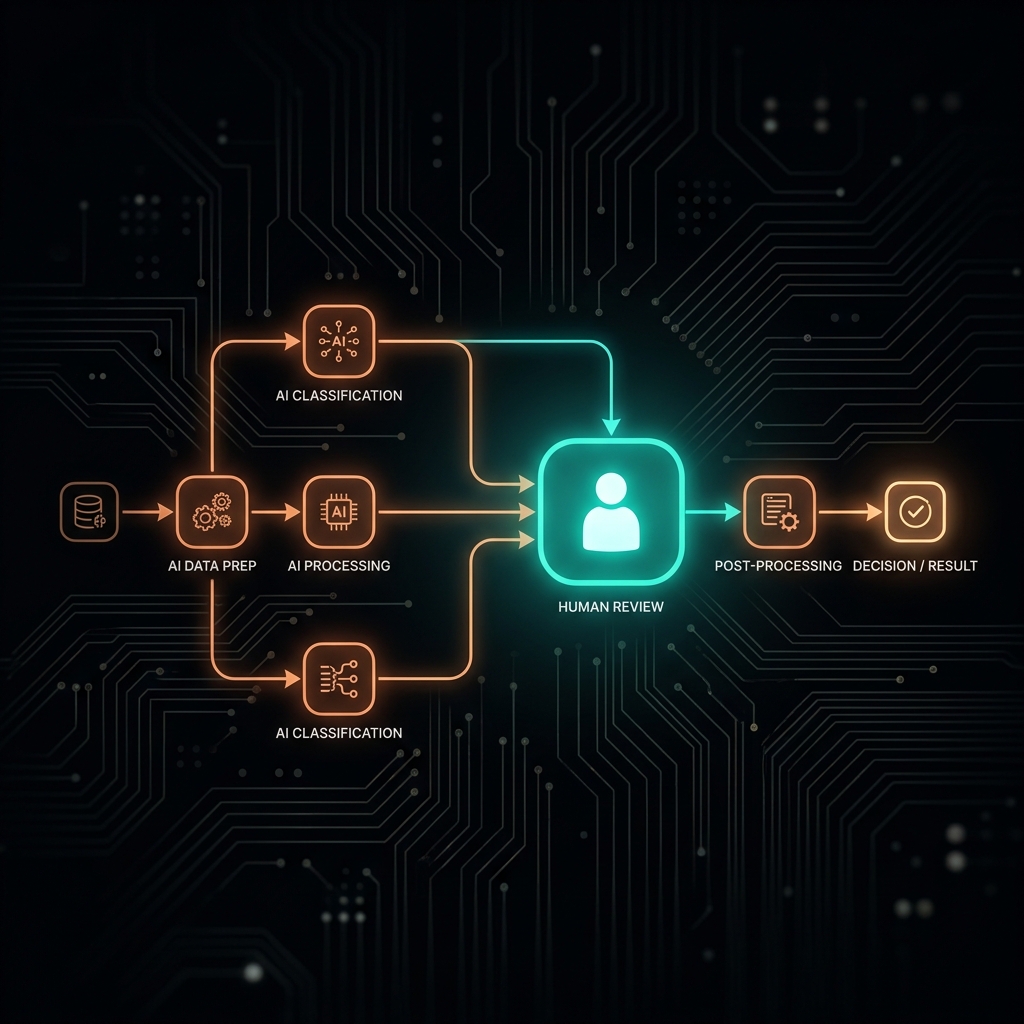
What Is Human-in-the-Loop — and When AI Needs Human Control
Not every AI workflow needs human review, but some processes absolutely require it. Here's a framework for placing human checkpoints exactly where they belong.

What Is Human-in-the-Loop — and When AI Needs Human Control
TL;DR: The balance between AI automation and human oversight determines how sustainable an operating process really is. Human-in-the-loop isn't simply manual checking — it's a design technique for placing accountability based on three key variables: how reversible the action is, who's affected by it, and how much judgment the task actually requires.
What is human-in-the-loop in an AI workflow?
Direct answer: Human-in-the-loop (HITL) is a review checkpoint designed into an automated process, where a human evaluates, edits, or approves the AI's output before the next action executes. A business needs to design this checkpoint when the output directly affects customers, when an AI mistake has consequences that are hard to undo, or when the task requires nuanced judgment that programmed rules can't fully cover. For internal, reversible tasks where automated quality control is easy, setting up HITL isn't necessary.
The problem: two extremes when designing review checkpoints
When people start building automated AI operating flows, process designers often fall into one of two opposite extremes.
The first extreme is excessive caution. The operator sets up a human review checkpoint at every tiny step of the process. Staff have to read and approve every single email summary, every data classification line, every draft message. This approach strips away all of AI's speed advantage, creates a bottleneck at the reviewer's desk, and exhausts staff with too many repetitive tasks.
The second extreme is blind trust. The founder lets AI run fully automatically from start to finish with no oversight mechanism at all. AI automatically reads customer emails, drafts replies on its own, sends quotes automatically, and updates the database on its own. When the model hallucinates or misreads a customer's context, the mistake goes straight out the door immediately, seriously damaging the brand's reputation or causing financial loss.
Reframe: a review checkpoint isn't distrust — it's designing accountability
To build a sustainable system, process designers need to change how they see human review checkpoints. A human's presence in an AI's processing flow doesn't mean we don't trust the technology.
In reality, it's a deliberate architectural design decision aimed at placing accountability. AI can process millions of tokens of data per second with high accuracy, but technology cannot bear legal or ethical responsibility for the decisions it makes.
A human enters the process not to do the machine's work for it, but to act as the final checkpoint accountable for output quality. Designing an intelligent process means knowing exactly when to let the machine run on its own to save resources, and when a human absolutely must be inserted to guarantee operational safety.
Framework: 3 variables that determine whether you need human-in-the-loop
To decide whether a step in an automated process needs a human review checkpoint, I use an analysis framework built on these three core variables.
1. Reversibility
If the system makes a mistake, can that action be easily undone?
- Irreversible actions: Sending an email directly to a list of thousands of customers, automatically paying an invoice from a bank account, or permanently deleting data from a CRM. For these tasks, a human review checkpoint is mandatory.
- Reversible actions: Tagging a support request in an internal system, saving a draft file to a storage folder, or updating a task's status on an internal management board. These tasks can be left 100% to AI automation, since a mistake can be corrected easily with no serious consequence.
2. Audience impact
Who directly sees and is affected by the AI's output?
- External audience: A customer receiving a support reply email, a partner receiving a draft contract, or the public seeing a social media post. These tasks always require human review at the final step.
- Internal audience: Staff receiving a meeting-notes summary, a developer receiving a suggested code snippet, or a manager receiving a business data analysis report. These tasks can skip manual review and just apply automated syntax or format checks.
3. Judgment required
Does the task require transforming information according to fixed rules, or does it require judgment based on nuanced context?
- Transform tasks: Extracting a name and phone number from a block of text, reformatting an Excel file, or doing a rough translation between two languages. This process runs on clear logical rules, so it doesn't need human intervention.
- Judgment tasks: Evaluating the emotional urgency of a complaint email, writing communications that accurately reflect the brand's core values, or deciding whether to approve an ad budget based on market shifts. These tasks require human cultural sensitivity and real-world experience to make an accurate call.
Real-world examples of review-flow design
To get a clearer picture of how to apply the framework above, consider these real scenarios:
- A scenario that requires mandatory review: A system automatically drafts a reply to a VIP customer's complaint. This task directly affects an external party (a VIP customer), is hard to undo if it sends out wrong information that causes outrage, and requires nuanced judgment to de-escalate emotions. So a manual review step before sending is mandatory.
- A scenario for full automation: A system reads daily revenue data from sales-management software, automatically converts the currency format, and updates a Google Sheet for the finance department. This task only serves internal purposes, is fully reversible by correcting the numbers on the Sheet, and is purely a rule-based data transformation. This process should be fully automated to free up staff time.
A 3-step guide to designing effective review checkpoints
Once you've identified which step needs a review checkpoint, a founder should follow these 3 steps to optimize performance:
- Map the operating flow: document in detail every leg of the data's journey from input source to final output, and circle the legs where data leaves the business.
- Apply the 3-variable filter: evaluate each circled data leg against reversibility, audience impact, and judgment requirements to pinpoint exactly where the checkpoint belongs.
- Design the notification and handling channel: choose the simplest possible way to notify the responsible staff member for approval (e.g., an Approve/Edit button sent via Slack or Telegram), set a clear maximum response time, and design a fallback scenario for when the reviewer doesn't respond in time, so the process doesn't stall.
Conclusion
An intelligent automation system isn't one that removes humans from the process entirely — it's an architecture that knows how to place a human exactly where they belong, to create the highest safety at the most optimal operating cost.
To understand how to design a properly structured process from the start, read Why 80% of AI Workflows Fail in Vietnamese Businesses Sắp ra mắt 28/07, or dig deeper into the thinking behind dividing roles between designer and tool in When SMEs Actually Need an AI Agent — and When They Don't.
Where does your business's current automation workflow have review checkpoints today, and which position is overloaded from manual review?
#HumanInTheLoop #AIWorkflow #AISystemDesign #ErrorHandling #Oversight
Khám Phá Kho Workflow & SOP AI Thực Chiến
Thư viện quy trình, SOP vận hành và công cụ AI tôi đang dùng thật cho hệ thống của mình — chọn đúng thứ bạn cần.