Vibe Coding 2026: The Complete Guide From Zero to Deploy
A comprehensive guide to Vibe Coding — from core concepts, picking the right tools, writing structured prompts, to deploying real products in 2 hours.
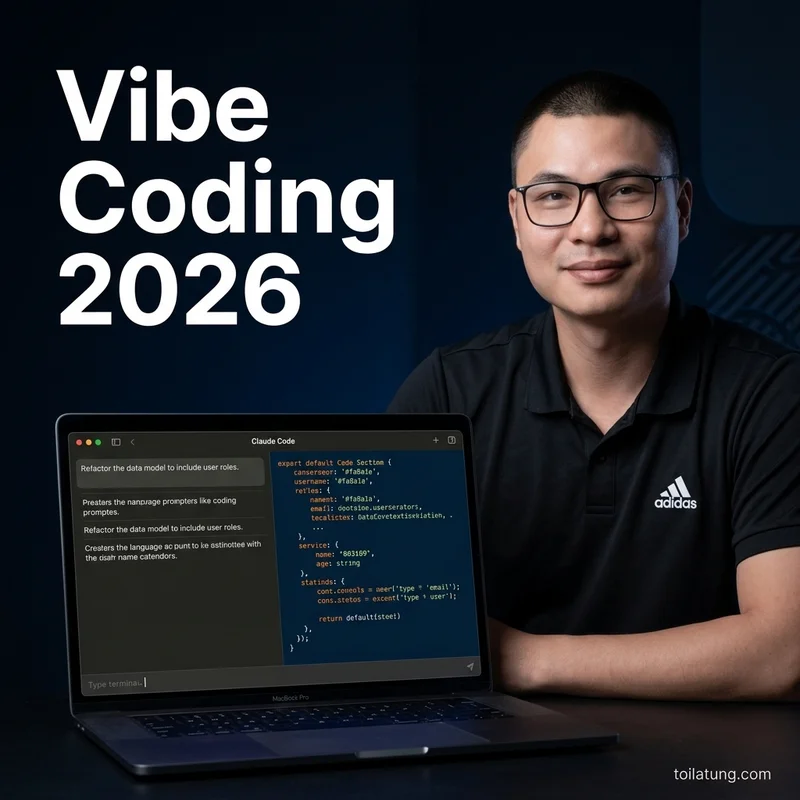
Vibe Coding 2026: The Complete Guide From Zero to Deploy
Two years ago, if you said you wanted to create a mobile app or a professional website, the only answer was: "Go learn how to code."
But in 2026, everything has changed. You no longer need to worry about variables, functions, loops, or complex data structures. The only thing you need is a solid idea and the ability to articulate that idea to an AI. Programming has shifted from "typing lines of code" to "orchestrating concepts" — a paradigm known as Vibe Coding.
In this comprehensive guide, I will take you from the absolute basics of Vibe Coding, choosing the right tools, a battle-tested 5-step workflow, to a real-world case study of how I built toilatung.com.
TL;DR: Vibe Coding is a method of building software using natural language instead of traditional programming languages. By using AI Agents like Claude Code, Cursor, or Bolt, anyone can describe their ideas in plain English or Vietnamese, and the AI will write the code, fix bugs, and deploy it to a live environment.
What is Vibe Coding? (Andrej Karpathy's Concept)
The concept of "Vibe Coding" originated from a viral post by Andrej Karpathy (former Director of AI at Tesla). He described that programming today is no longer about high-intensity typing. Instead, the developer sits back, listens to chill music (the vibe), sips coffee, and commands the AI in English to do all the heavy lifting.
Simply put: Vibe Coding = You are the "Director" + AI is the "Builder".
You do not need to know how each brick is laid; you only need to describe the shape and purpose of the house you want.
Why is Vibe Coding Exploding in 2026?
- AI is smart enough: Models like Claude 3.7 Sonnet do not just write short snippets; they understand and manage the codebase structure of entire projects spanning hundreds of files.
- Eliminating technical barriers: The hardest parts of programming were setting up local environments and debugging syntax errors. AI Agents now automate this entire process.
- Speed: What took a seasoned developer a week to build can now be completed by a "Vibe Coder" in 2 hours.
Which Tools Should You Choose for Vibe Coding?
The 2026 market offers 4 primary "weapons" for Vibe Coding. Choose the tool that fits your current skill level:
- Bolt.new / Lovable.dev (For 100% Beginners): Runs entirely in the browser. You chat, and they generate the UI and code right before your eyes. Zero installation required.
- Cursor IDE (For those with basic code awareness): A code editor that looks like VS Code but is packed with powerful AI features. It predicts your thoughts and writes code as you press Tab.
- Claude Code (For Terminal Lovers): Developed by Anthropic, this tool runs directly in your terminal. It reads your entire directory and executes complex edits automatically.
- Replit Agent: A cloud-based coding environment with an Agent capable of planning, installing packages, and running projects.
💡 Recommendation: If you have never touched code, start with Bolt or Lovable. If you want to build professional, production-ready applications, learn Claude Code and Cursor.
The Director Mindset — The Most Critical Shift
To succeed with Vibe Coding, you must shed the mindset of a "coder" and adopt the Director Mindset.
A director does not hold the camera or adjust the studio lights manually. A director focuses on 3 things:
- Writing the Brief (Script): Making requests clear and specific (Which color palette? What emotion? Where should the elements stand?).
- Reviewing (Approving): Looking at the AI's output and evaluating it (This section works well, but that button is too small).
- Feedback: Instructing the AI on exactly what needs to be fixed.
If the product breaks, 99% of the time it is because the "Director" provided a poor brief, not because the AI is incapable.
The 5-Step Workflow: From Idea to Production
Here is the 5-step process I apply to every Vibe Coding project:
Step 1: Brief — Write Clear Descriptions
Never type: "Build me a shoe store website". Instead, use a structured prompt:
- Context: "I need a landing page for selling sneaker shoes targeting Gen Z."
- Key Features: "Must include a 3D scroll effect, a shopping cart, and a checkout form."
- Design: "Use a dark mode theme, Inter font, and a minimalist style."
Step 2: Scaffold — Build the Skeleton
Ask the AI (like Bolt or Claude Code) to generate the directory structure and set up the foundation stacks first (e.g., initialize Next.js and Tailwind CSS). Do not rush to request complex features at this stage.
Step 3: Iterate — Review, Feedback, Refine
This is where your Director Mindset comes into play. Run the project locally. Button colors are wrong? Chat with the AI: "Change the CTA button color to orange (#fa8a1a) and add a hover transition effect." Repeat this loop (Iterate) for each minor feature.
Step 4: Polish — Refining the Details
Once the core features run smoothly, optimize the UI/UX. Instruct the AI to check mobile responsiveness, adjust contrast ratios, and add subtle micro-animations.
Step 5: Deploy — Going Live
With Vibe Coding, deployment is incredibly simple. Just type: "Create the configuration file and deploy this project to Netlify/Vercel for me." The AI will handle the messy server configurations.
Case Study: How I Built Toilatung.com in 3 Days
You are reading this article on the toilatung.com platform. I did not write a single line of code for this site.
I used Cursor paired with Claude 3.7 Sonnet:
- Day 1: Setup the MDX-based blog system and configure SEO tags.
- Day 2: Instructed the AI to design a sleek Dark UI using Tailwind CSS.
- Day 3: Optimized Core Web Vitals to 100/100 and deployed to production.
The entire process was simply a back-and-forth dialogue between me (the Director) and Cursor (the Builder).
Checklist: Vibe Coding Starter Kit
- I have a Claude Pro or ChatGPT Plus account.
- I have chosen my tool (Bolt.new, Cursor, or Claude Code).
- I have written a clear design Brief before chatting with the AI.
- I understand that my role is the "Director," not the "Coder."
FAQ — Frequently Asked Questions
1. Can I Vibe Code if I don't know how to code? Yes. You do not need to write code, but you must learn to "read" basic project files and develop logical thinking to guide the AI effectively.
2. How much does Vibe Coding cost? Around $20 - $30/month for tool subscriptions (like Cursor or Claude). In return, you save thousands of dollars in developer hiring costs.
3. How long does it take to learn Vibe Coding? To get familiar with the concepts: 1 afternoon. To build polished, complete products: 2-3 weeks of hands-on practice.
🎯 Ready to Build Real Products?
Vibe Coding Bootcamp — 3 live interactive sessions to build and deploy during class. No slide decks, no simulated demos.
"I deployed my first live landing page by the second session."
What you receive upon enrollment:
- 🎁 Director Mindset Playbook
- 🎁 Sub-agent + Hooks + Skills templates
- 🎁 Step-by-step Netlify deployment flow
→ Enroll in Vibe Coding Bootcamp
5,000,000 VND · 3 live sessions · Build real, deploy real
Tải Playbook Vibe Coding: Setup Cursor & Claude Code Chuẩn
SOP hướng dẫn thiết lập Brain file (.cursorrules / CLAUDE.md) tối ưu token và cách chia nhỏ bài toán để AI sinh code không lỗi.