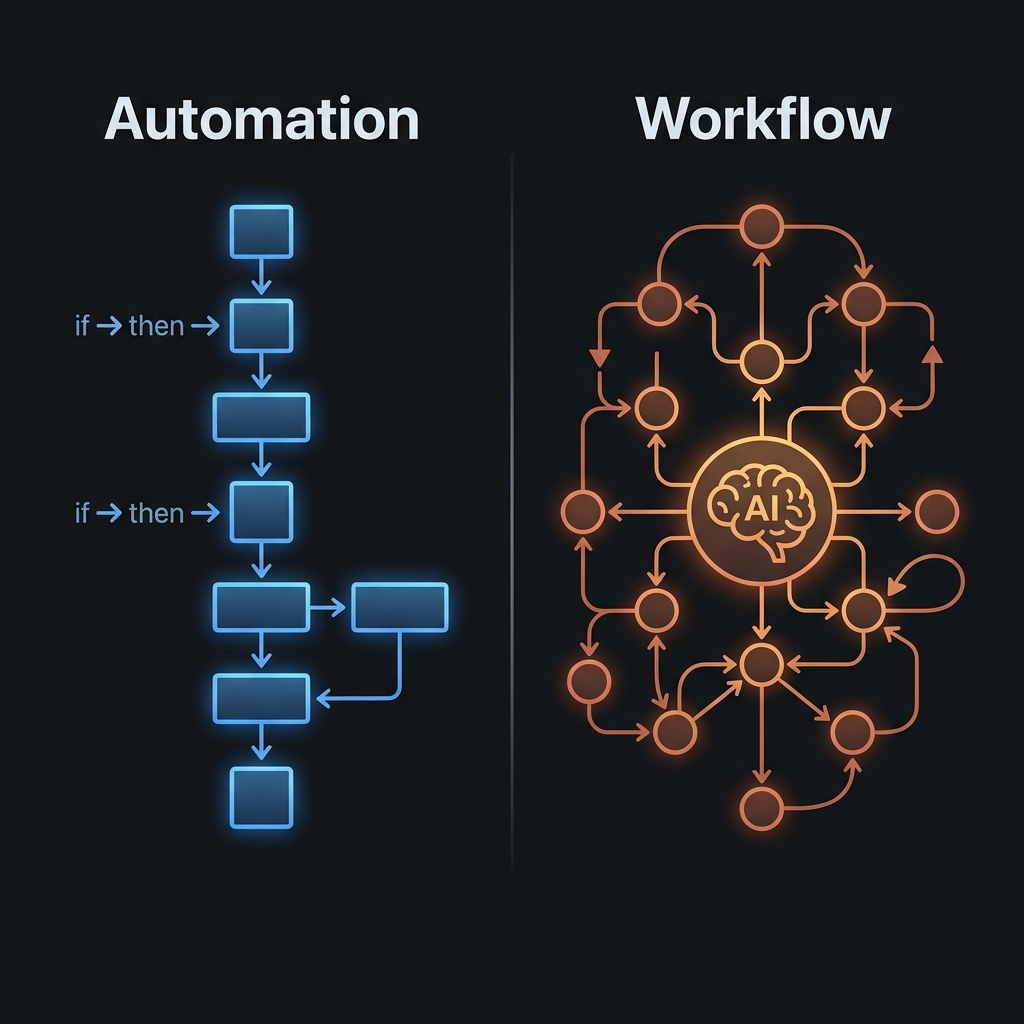
No-Code AI Workflows: The Real Limits You Need to Know
No-code AI workflows solve about 70% of an SME's operational needs. A practical guide to the real limits and how to pick the right solution for the rest.

No-Code AI Workflows: The Real Limits You Need to Know
TL;DR: No-code AI workflow tools (Make.com, n8n cloud, Zapier) solve about 70% of a Vietnamese SME's automation needs. The remaining 30% doesn't need code either — but it does need someone who understands architecture: how to design input/output, handle errors, and place the right human-in-the-loop checkpoints. The real limit isn't "code or no code" — it's "who's responsible for designing the system."
Quick Answer
You don't need to know how to code to build a working AI workflow. But you do need to understand: (1) whether the process you want to automate has an output clear enough to describe, (2) who catches and handles it when the workflow breaks, and (3) which point in the process needs human review before continuing. These three questions matter more than whether you can code.
"No-code" has been the most heavily marketed term of the last 3 years — to the point that many people think automating an AI workflow is just drag-and-drop, something anyone can do in 30 minutes.
The reality is more complicated.
No-code, in the true sense, means you don't need to write code to connect systems. But you still need systems-design thinking — and that's a rarer skill than knowing how to code.
What no-code workflows genuinely handle well
Let's start with what no-code actually solves — not the marketing fantasy.
Handles well:
| Use case | Right tool | Setup complexity |
|---|---|---|
| Connect 2–3 apps (trigger → action) | Make.com / Zapier | Low — 1–2 hours |
| Send email/Slack on a specific trigger | Make.com / n8n | Low |
| Compile data from multiple sources into one place | Make.com + Google Sheets | Medium — 3–4 hours |
| AI drafts content from a brief template | Claude + Make.com | Medium |
| Automated post scheduling | Buffer API + Make.com | Medium |
| Classify emails/requests by criteria | Claude + Make.com | Medium |
Handles it, but needs care:
| Use case | The real challenge |
|---|---|
| Processing badly formatted data | Make.com needs clean data — if it's raw, you need a cleanup step first |
| Workflows with many complex conditional branches | Drag-and-drop works, but debugging errors is hard |
| Integrating with internal software (ERP, custom CRM) | You need an API — often you'll need a developer to set up the connection |
Doesn't handle (or shouldn't attempt):
- Processes requiring complex contextual judgment at every step
- Systems that need high uptime (no-code clouds have downtime and rate limits)
- Handling sensitive data you don't want passing through a third-party server
The real limit: it's not code, it's system design
This is the most important point — and the one few people say plainly.
When a no-code workflow doesn't work correctly, the reason is usually not that it needs code. The reason is usually:
1. The input isn't clearly defined The workflow receives data in the wrong format, missing fields, or with unexpected values. Make.com stops running and you don't know why.
2. There's no error handling When one step fails, the workflow stops — but no one gets notified. Three days later you discover 50 records were never processed.
3. There's no human-in-the-loop checkpoint The workflow's output goes straight into the system without review. Two weeks later you discover the AI misclassified 30% of customer requests.
None of these three problems needs code to fix. But they do need someone to design the correct process before dragging and dropping in Make.com.
That's why I call the more important skill "systems architecture" — not code.
A framework for building sustainable no-code workflows
Before you open Make.com, answer these 5 questions:
1. What's the trigger, and when does it happen? Be specific: "Whenever a new row appears in the 'Leads' tab of a Google Sheet" — not "when there's a new lead."
2. What's the input for each step, and in what format? If step 2 needs a valid email, step 1 must guarantee the email field always has a value, in the correct format.
3. What does the final output look like? Who uses it? Describe the output in two specific sentences. If you can't describe it, the workflow isn't ready to build.
4. When does the workflow need a human to step in? Not every step needs review. But there must be at least one point — usually right before an important output — where the workflow pauses to wait for human confirmation.
5. When an error happens, who finds out, and what do they do? At minimum: Make.com sends an error notification to Slack/email. Better: log the error to a Google Sheet for later audit.
Why 70% of no-code workflows fail in practice
I've observed 3 common patterns:
Pattern 1 — Building a workflow from a template instead of a real process Both Make.com and n8n have template marketplaces. Many people pick a "automatic follow-up email" template and try to force their own process into it. Result: the workflow runs, but it doesn't match how the team actually works.
Pattern 2 — Building it and never maintaining it The workflow runs fine in month 1, month 2. In month 3, an API changes, or the data format changes, or a tool updates. The workflow starts failing silently. No one notices because no one's monitoring it.
Pattern 3 — Continuously adding steps with no limit The workflow starts simple (3 steps). Six months later it's grown to 15 steps with 7 conditional branches. No one fully understands how the whole thing works anymore. When it breaks: 2 days of debugging.
When you need someone who understands architecture, not someone who knows code
Here are the signs your workflow has crossed the simple-no-code boundary:
- The workflow has more than 8–10 steps
- It has more than 3 conditional branches (if/else)
- It needs complex error handling (retry logic, fallback)
- It integrates with internal systems via a custom API
- It needs to run stably 24/7 with a specific SLA
- The data being processed is sensitive (financial, customer data)
In these cases, you don't need to hire a developer. You need someone who can design the architecture — deciding how many modules the workflow should split into, where error handling belongs, and where a human gate belongs.
Checklist before you start building a no-code workflow
- I've answered all 5 framework questions above
- My manual process has run stably for at least 4 weeks
- I know specifically what the final output looks like
- I've identified at least one human-in-the-loop point
- I have a plan to get notified when the workflow fails
- I have someone (or a schedule) to review the workflow monthly
Go deeper — based on where you are
If you want the full picture of AI workflow for your business:
- AI Workflow for Vietnamese Businesses — A Real-World Architecture
- Business Process Automation: Where to Start, No IT Required
If you want to understand when a workflow needs a real human operator:
Where is your workflow on the no-code / needs-architecture line?
In a 30-minute Audit session, I'll look at your specific process and point out: what can be built no-code right now, what needs architecture designed first, and what shouldn't be automated yet.
FAQ
How is Make.com different from n8n — which should I use?
Make.com: cloud-hosted, more visual interface, has a free tier, good for an SME just starting out. n8n: can be self-hosted (keeping data on your own server), more flexible for complex workflows, requires more technical setup. For an SME just starting: Make.com first. Once workflows get more complex or you need control over data: consider n8n.
How many records can a no-code workflow handle at once?
Depends on the plan. Make.com Free: 1,000 operations/month. Core: 10,000 ops/month. For an SME under 50 people, Core is usually enough. If you need to process high volume (thousands of records a day), you'll need to recalculate cost or consider another solution.
I don't know anything technical — can I build a workflow myself?
Yes — for a simple workflow (2–3 steps, clear trigger, clear output). But you'll need to invest time learning: Make.com Academy (free) + practice with one small workflow first. What matters more than technical knowledge is clearly understanding the process you want to automate — no amount of technical skill compensates for an unclear process.
When a workflow fails, how do I debug it?
Make.com has an Execution History — see what input each step received, what output it returned, and where it failed. Start from the first step after the trigger and find where the output doesn't match what's expected. 80% of no-code workflow errors come from badly formatted data — not wrong logic.
Khám Phá Kho Workflow & SOP AI Thực Chiến
Thư viện quy trình, SOP vận hành và công cụ AI tôi đang dùng thật cho hệ thống của mình — chọn đúng thứ bạn cần.

Bài Liên Quan

3 câu hỏi tôi hỏi trước khi giao bất kỳ việc gì cho AI

Director Mindset là gì — tư duy người thiết kế hệ thống AI